
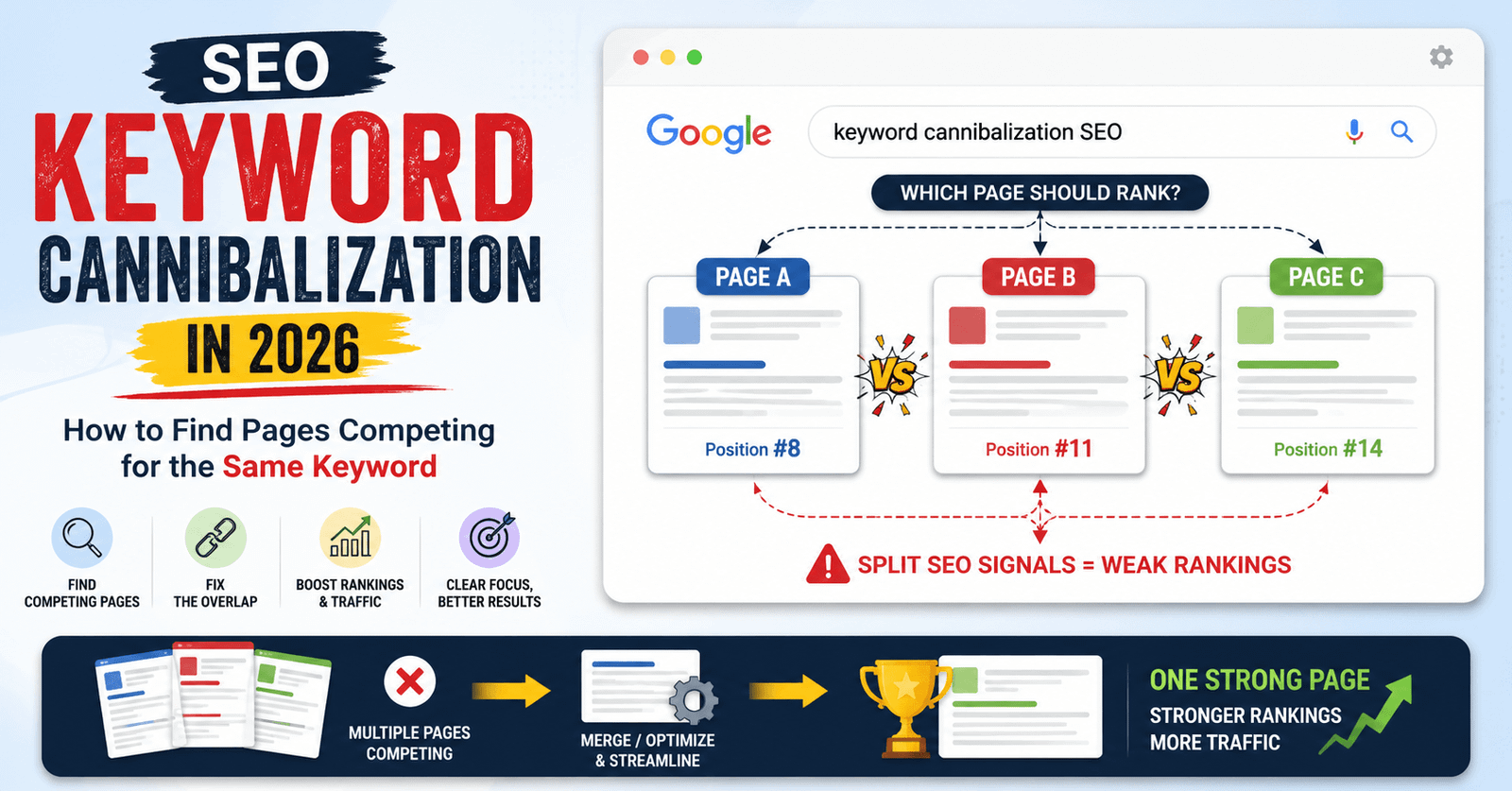
Imagine writing ten blog posts and watching all of them rank on page two. Not one reaches the top. That silent traffic killer has a name: keyword cannibalization SEO.
It’s one of the sneakiest problems in search marketing. Your content isn’t bad. Your site isn’t broken. But your own pages are competing against each other, and Google can’t decide which one to trust.
Let’s fix that.
What Is Keyword Cannibalization SEO?
Keyword cannibalization happens when two or more pages on your site target the same keyword. Google gets confused about which page to rank.
Instead of one strong page winning a top spot, you get several weak pages splitting the traffic. None of them perform well.
Think of it like two employees applying for the same job at your own company. You lose either way, because they’re competing instead of working together.
Learn more
SEO in 2026 Complete Guide to Ranking on Google for Beginners and Small Businesses
Why This Problem Is Bigger in 2026
Search engines have gotten smarter. AI-driven search results now group similar content more aggressively.
Here’s why cannibalization hurts more today:
- AI Overviews pull from one “best” source, not five similar ones.
- Search intent matching is stricter than ever.
- Site-wide relevance signals matter more than single-page optimization.
If your pages overlap, search engines may skip your site entirely and pick a competitor’s cleaner content structure instead.
Signs You Have a Keyword Cannibalization Problem
You might be dealing with this issue right now. Watch for these red flags:
- Multiple URLs ranking for the same keyword, but all below position 10
- Rankings that swap between pages week to week
- Declining organic traffic despite publishing more content
- Low click-through rate even with decent impressions
If any of these sound familiar, it’s time to investigate.
Learn more
Why Google Search Clicks Are Dropping Even When Rankings Stay the Same in 2026
How to Find Pages Competing for the Same Keyword
1. Use Google Search Console
Go to the Performance report. Filter by your target keyword.
Look at the “Pages” tab. If you see two or more URLs getting impressions for the same query, that’s cannibalization in action.
2. Run a Site Search Query
Type this into Google:
site:yourdomain.com "your keyword"
This shows every page Google has indexed for that phrase. Multiple close matches signal overlap.
3. Use an SEO Audit Tool
Tools like Ahrefs, SEMrush, or Screaming Frog can map keyword overlap across your entire site in minutes.
Look for:
- Pages targeting the same primary keyword
- Similar title tags and meta descriptions
- Overlapping H1 headings
4. Check Your Internal Linking Patterns
If you’re linking to five different pages using the same anchor text, you’re telling search engines those pages are all equally important. That confuses ranking signals.
Learn more
Google Ranking Factors: 11 SEO Mistakes That Stop Good Content from Ranking
How to Fix Keyword Cannibalization
Once you’ve found the overlapping pages, choose one of these fixes.
Merge the Content
Combine the weaker pages into your strongest one. This creates a single, authoritative resource.
A B2B software company once merged seven overlapping blog posts into one detailed guide. Organic traffic to that topic grew significantly within three months, because Google finally had one clear page to trust.
Redirect Weaker Pages
If merging isn’t possible, use a 301 redirect. This sends visitors and ranking authority from the weak page to the strong one.
Differentiate Search Intent
Sometimes two pages deserve to exist. Just make sure they target different intent.
Example:
- Page A: “keyword cannibalization SEO” (educational guide)
- Page B: “keyword cannibalization tool comparison” (buyer’s guide)
Different angles. Different purposes. No competition.
Update Internal Links
Point all internal links toward your chosen “main” page. Use consistent anchor text so search engines understand which page matters most.
How to Prevent Cannibalization Going Forward
Prevention beats cleanup every time. Build these habits into your content process:
- Create a keyword map before writing new content
- Check existing content before publishing something similar
- Assign one primary keyword per page
- Review your top pages every quarter for overlap
A simple spreadsheet tracking “keyword → assigned URL” saves hours of cleanup later.
Conclusion
Keyword cannibalization SEO issues quietly drain your traffic and confuse search engines. But the fix isn’t complicated. Find your overlapping pages, merge or redirect the weak ones, and give every page a clear, unique purpose.
Start with one keyword today. Audit it, fix it, and watch that page finally get the ranking it deserves. Your best content should never compete with itself.
FAQs
A. It happens when multiple pages on your site target the same keyword. Search engines struggle to pick the best one, so all the pages rank lower than they should.
A. Use Google Search Console’s Performance report, or search site:yourdomain.com "keyword" in Google to see competing pages.
A. It mainly hurts the specific pages involved, but repeated cannibalization can lower overall site trust and crawl efficiency over time.
A. Merging is usually better. It keeps the good content and backlinks while removing the competition. Deleting without a redirect can lose that value completely.
A. Check your top-performing keywords every three months, and always review existing content before publishing something similar.